
Web client > Overview > Maintain properties
Many fields in Data Crow let you choose from a list, such as the categories, genres or storage media of your items. These lists are called properties. Over time a list gets messy: the same value was typed in two different ways, or there are values you no longer use. With Maintain properties you can tidy them up.
Click the button in the top bar of the overview. You see it for modules which use lists like these. Every list of the module is in the menu on the left: choose one to see its values.
Each section shows the values of the list. Behind every value you see how often it is used (Used). Type in the Filter field to find a value quickly. Use the check boxes to select values for the actions below.
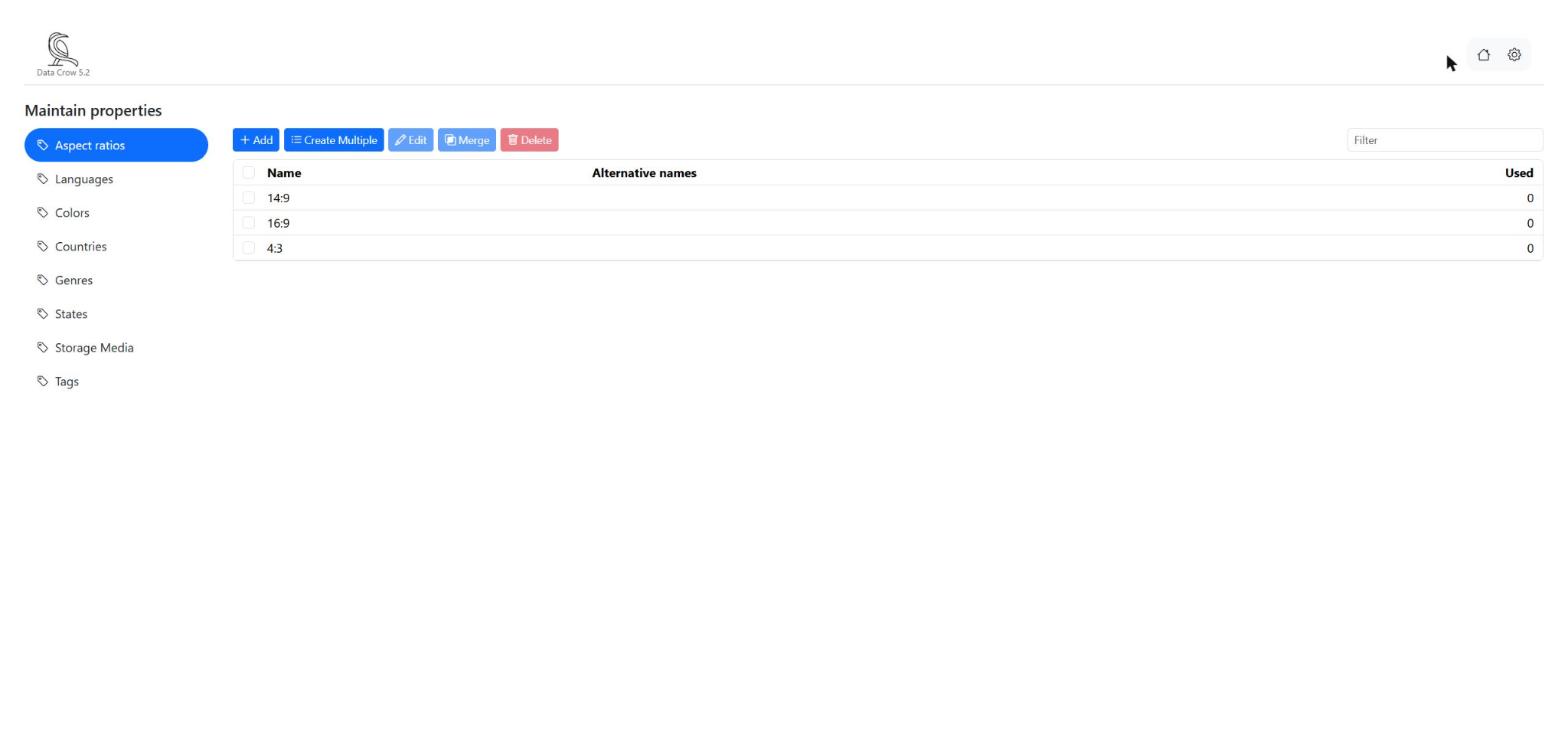
Adding values #
- Add: add one new value.
- Create Multiple: add many values at once. Type one value per line and click Save. Values which already exist are skipped, and Data Crow tells you which ones.
Changing a value #
Select a value, click Edit , change it and save. Every item which uses the value shows the new text.
Merging values which mean the same #
Suppose your list has both Sci-Fi and Science Fiction. You want only one of them, without losing which items belong to it. That is what merging is for.
- Select the values which mean the same.
- Click Merge .
- Choose the value you want to keep.
- Click Apply.
All the items which used one of the merged values now use the value you kept. The names of the merged values are kept as alternative names of the value you kept.
Deleting values #
Select the values you no longer need and click Delete . If a value is still used by items, Data Crow warns you and tells you how many. If you continue, the value is removed from those items as well. Merging and deleting can take a moment when there are many items.


