
Data Crow at a glance
Data Crow is free, open source software to keep track of everything you collect: books, movies, music, games, board games, comics, stamps, wine, tools. You register every item once, with its details and pictures. Data Crow then helps you find it again, lend it to someone, make reports and keep it all safe.
You can use Data Crow on your own computer. You can also let your family or your club share one collection, from a computer, a browser or a phone. This page shows the parts of Data Crow and what you can do with them. For the details it points to the other pages of this help.
The idea in short #
Four words come back everywhere in Data Crow:
- Module: a type of collection, such as Movies, Books or Music Albums. Data Crow comes with ready-made modules and you can create your own, for example for your stamps.
- Item: one thing in your collection, such as one movie.
- Field: a piece of information about an item, such as the title, the year or the rating.
- Property: a list of values which you can use for many items, such as the categories, genres or storage places.
More about this in Introduction and in Module Design.
The parts of Data Crow #
Data Crow is one product with a few parts which work together. Which parts you need depends on how you want to use it.
The full client #
This is the program you install on your computer. It runs on any computer where Java runs, such as Windows, Linux and macOS, and it is the most complete part of Data Crow: it has all the tools, such as the importers, the reports and the file tools. The full client can work on its own, with the collection stored on your computer. It can also connect to a server. See Starting Data Crow and The User Interface.
The Data Crow Server #
The server is a program which runs in the background, on your own computer or on a server somewhere else. It has no windows. It keeps the collection (the database, the pictures and the attachments), the users and the security in one place. Other parts connect to it. Use it when more people use the same collection, or when you want to reach your collection from anywhere. The server also provides the web client. See Data Crow Server, User Management and Backup & Restore.
The web client #
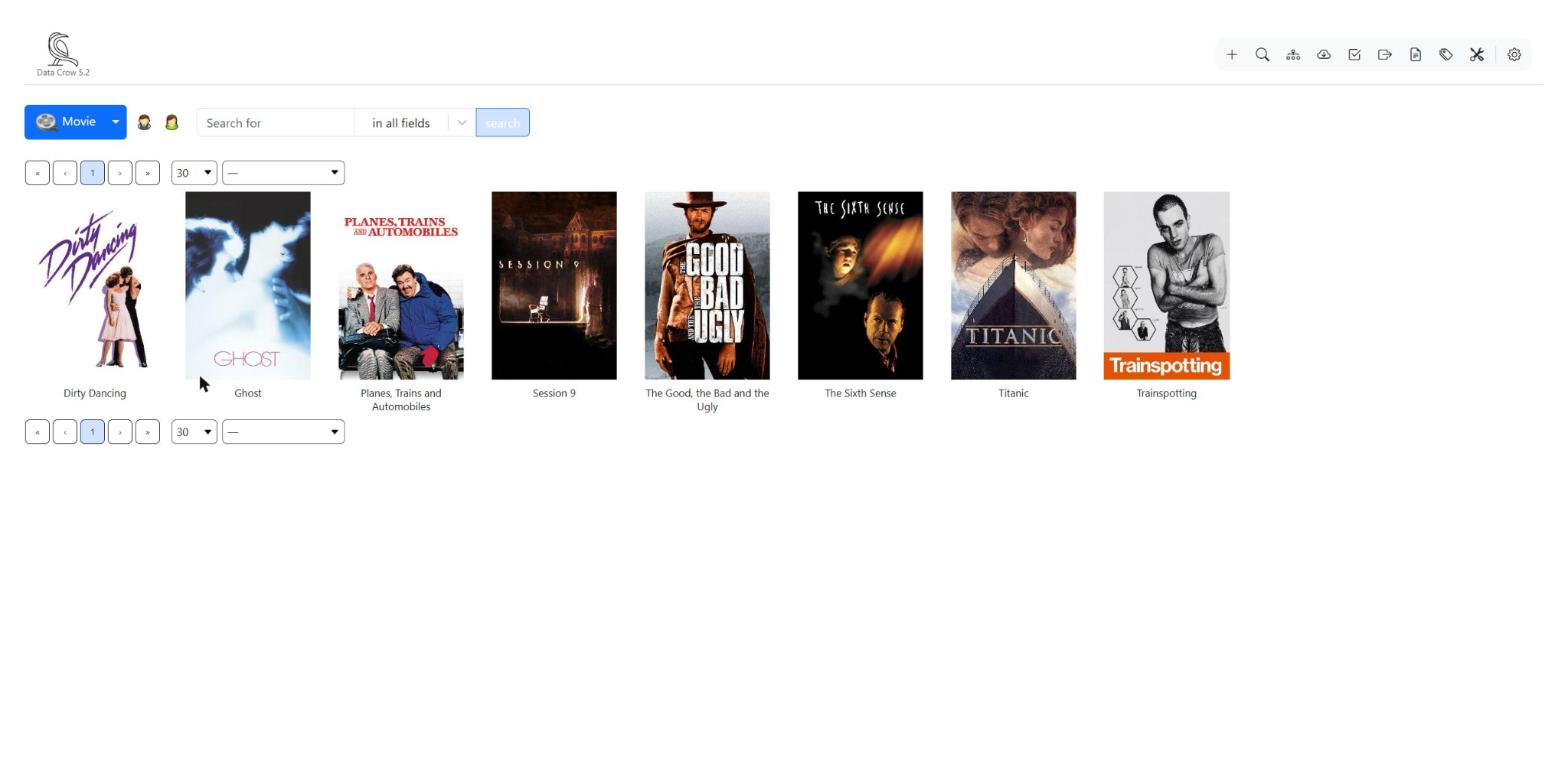
The web client works in a web browser, such as Chrome, Edge, Firefox or Safari, and needs no installation. You open the address of your server and log in. It is made for everyday use: browsing and searching, adding and changing items, looking up information on the internet, lending items and your own settings. Administrators can also manage users, modules and backups. See The Web Client.
The Data Crow Reader app #
The Data Crow Reader is an app for your phone. As the name says, it is made for reading: you load your collection into the app, and from then on you can look at it without an internet connection. That makes it ideal for having your information at hand, for example in a shop when you wonder whether you already own something. You connect the app by scanning a QR code, which you find in the settings of the web client or in the Synchronization Service of the full client, and then load the data. You change your items in the full client or the web client. Load the data again to bring the app up to date. All the fields of your items are loaded, with up to three pictures per item. Attachments are not loaded into the app. See The Data Crow Reader App and Sync Service (Update Data Crow Reader).
Online services #
Typing everything yourself takes time. Data Crow can look up your items on websites such as TheMovieDB, Open Library, Discogs and MobyGames, and fill in the details and pictures for you. Data Crow keeps its list of services up to date. See Online Search and Online Search in the web client.
Which parts do I need? #
- I use Data Crow on one computer, for myself. Install the full client. That is all.
- I want to use my collection on several devices, or share it with others. Run the server. Everybody can then use the full client or the web client.
- I want my collection at hand on my phone, also without internet. Add the Data Crow Reader app. It can load your collection from the full client as well as from the server.
What can you do with Data Crow? #
Keep all your collections in one place #
Every module has its own fields, pictures and attachments. Items can refer to each other: a movie refers to its actors, a book to its author. Some items can contain other items, such as the tracks of a music album or the episodes of a series. See The Item Form and Maintaining Properties.
Create your own kind of collection #
Is your collection not in the list? Create a module for it, with exactly the fields you need, or change an existing module. See Module Design and Module Wizards in the web client.
Add your items quickly #
- Let Data Crow find them on the internet: Online Search.
- Read the details from your files, such as movies, music or images: File Import.
- Import a list from another program: Item Import & Export (CSV and XML).
- Type many items at once: Create Multiple Items.
- Start from ready-made values: Item Templates.
- Let a wizard guide you: The New Item Wizard.
Find what you need #
Search, filter, sort and group your items, and look at them as a table or as cards with pictures. See Filters, Sorting, Grouping Items and Views. In the web client see Browsing and Searching.
Keep track of your loans #
Register who borrowed what, since when and when it is due. Data Crow tells you what is overdue. See Managing Loans and Loans in the web client.
Tidy up and change many items at once #
- Mass Update and Update All: update information, or fill in missing information.
- Find & Replace: replace a value in many items.
- Title Rewriting, Person Name Rewriting and Auto Numbering: keep titles, names and numbers tidy.
- Merging Items: turn duplicates into one item.
- Database Editor: change the database directly (for experienced users).
Look after your files #
Many collections are partly on your hard disk. Data Crow can keep the information about files up to date, and rename and move files. See Drive Manager, File Renamer and File Operations.
Make reports and charts #
Make a report of your items as a PDF, HTML, Word or Excel file, or draw a chart. You can also create reports of your own. See Reporting, Creating Custom Reports and Charts.
Share your collection safely #
Give each person their own login and decide what they may see and change, down to the field. Passwords can have rules, you can add a second step with a code from an app, and attachments are checked. Make regular backups. See User Management, Security settings and Backup & Restore.
Use Data Crow in your language #
Data Crow is available in English, Dutch, French, German, Italian, Polish, Portuguese, Russian and Spanish. You can improve the translations or add a language yourself. See Resource Editor.
Where to start #
- New to Data Crow? Read Introduction, which also explains where to start with your own items.
- Installing and starting the full client: Starting Data Crow.
- Sharing a collection or using the browser: Data Crow Server and The Web Client.
- Not sure which tool to use? Try Tool Select Wizard.
About Data Crow #
Data Crow is open source software, made by Robert Jan van der Waals. It started in 2001 as a program called CD Library and was rebuilt in 2007 as Data Crow, with the possibility to create your own modules. You find the story and more on Introduction and on datacrow.org.


